
Tidy Up History Guides
Every tutorial for restoring Casual Human’s cozy museum — from first dustpan to grand opening.
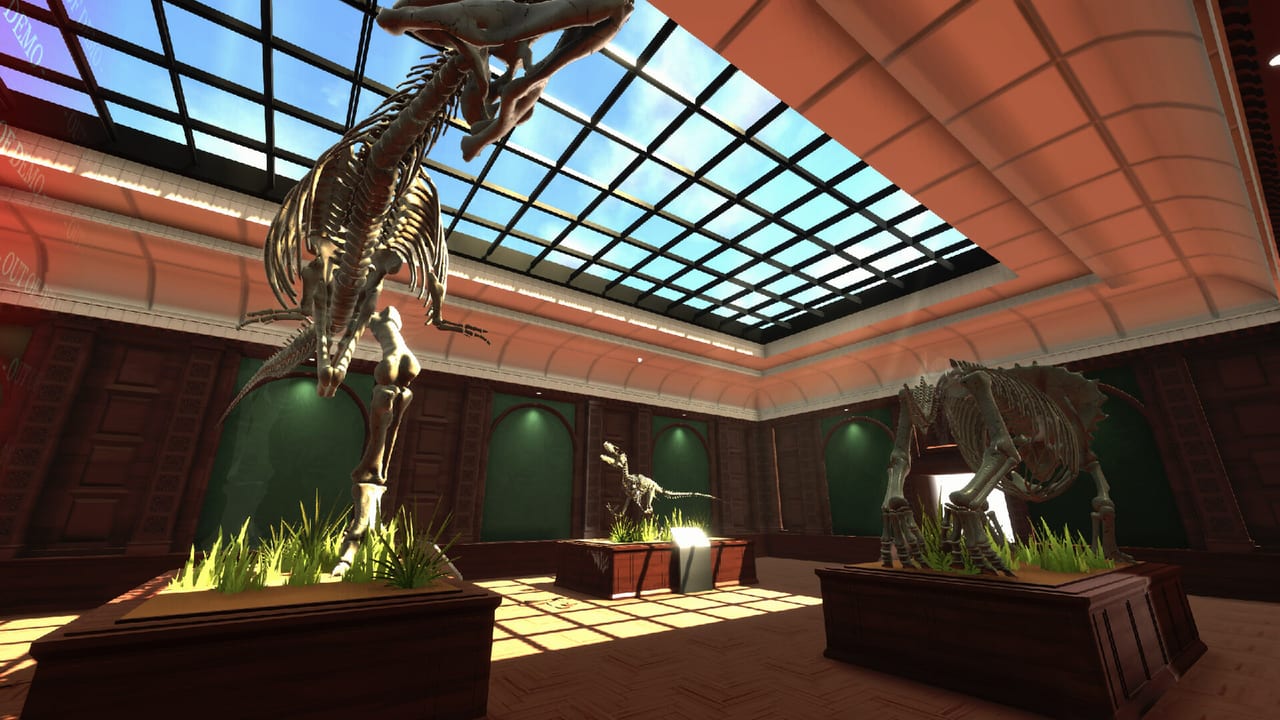
Welcome to the Guides Hub for Tidy Up History, the single-player cozy museum cleaning sim from Casual Human (Steam app 4870430). You inherit a once-renowned museum that is buried in dust, clutter, and misplaced artifacts. Your job is to clean exhibit halls, place fossils and historical pieces correctly, learn enough to identify mystery objects, find keys that open new wings, assemble dinosaur skeletons, and level up abilities until the museum is ready for its grand opening.
This hub is the map for every practical tutorial on the wiki. Use it when you are stuck on a mechanic, planning a room order, deciding on Deck play, or chasing the full set of 25 Steam achievements. Every link below points to a deep English guide with FAQs and cross-links so you can jump between topics without losing context.
Start here
New players should begin with Getting Started. It covers system requirements (Windows 10, Intel i5-2500, 16 GB RAM, GTX 1050, DirectX 11, 2 GB storage), the day-one loop, and a sensible first-hour checklist. Pair it with Controls if you want keyboard, mouse, and full controller bindings clarified—including post-1.0.2 camera comfort—before you dive into dusty halls. Unsure whether the fantasy fits? Skim the Review Overview for honest launch expectations (story postponed, sauropods later, hotfixes already shipping).
Core restoration loop
Most of your playtime sits in a satisfying cycle: clear dirt and damage, sort clutter, place artifacts and fossils on the right displays, then confirm labels with knowledge you unlock from books and study. Deep dives live here:
- Cleaning and Repairs — dirt, clutter, broken fixtures, and how to leave a hall visitor-ready.
- Artifacts and Labels — placing pieces, reading cues, and avoiding wrong-era mix-ups.
- Knowledge Books — how study unlocks identification so mystery objects finally belong somewhere.
When fossils pile up, switch to Dinosaur Skeletons for part-by-part assembly advice. Remember launch content emphasizes Non-Dinosaurian displays while sauropods wait for a future room.
Progression and map structure
The museum unlocks in wings. You will not see every hall on day one. Keys gate new rooms, and XP abilities make later exhibits less of a slog. Read these when you feel blocked or underpowered:
- Keys and Wings — search habits (including 1.0.1 audio-cue keys), wing order strategy, and Keymaster progress without spoiling exact coordinates.
- Abilities and XP — how restoration work feeds levels, cleaning-before-Porter 2 pacing after hotfix 1.0.1, and which ability types help complex repairs.
- Museum Rooms — prehistoric halls (Cerapoda, Theropods, Ornithopods & Thyreophorans, Non-Dinosaurian) plus human-history galleries from Stone Age through Indigenous North America.
Full clear and completionists
When you want a room-by-room route or a trophy checklist, open:
- Walkthrough — recommended order of wings, when to stop for skeletons, and when to hunt keys.
- Achievements — all 25 Steam achievements framing, including Curator, Handyman, Archivist, Knowledgeable, Master Cleaner, Museum Owner, and Complete [room] style unlocks.
Platforms, Deck, and expectation-setting
- Steam Deck — 60 FPS studio target, full gamepad habits, 16 GB PC note, and why hotfix 1.0.2’s disabled camera bobbing helps handheld comfort.
- Review Overview — early launch strengths and caveats without inventing numeric scores beyond live Steam Positive messaging.
- Patch context: Launch Hotfixes · Steam Deck Ready · Updates Hub
Tidy Up History is single-player only — there is no co-op. Play at your own pace on Windows; full controller support is available if you prefer a couch or Deck session. An introductory −15% Steam sale runs through 30 September 2026 for early buyers. Storyline content is postponed from launch per studio notes.
How to use this hub
- Skim the list above and open the mechanic you are stuck on.
- Follow in-page links to related systems (for example, cleaning → labels → knowledge).
- When a wing feels finished, cross-check Museum Rooms and Achievements so you do not leave a Complete [room] unlock behind.
- After patches, re-read keys/abilities/controls pages before assuming the game is “broken.”
- Return here after major sessions to pick the next deep dive instead of wandering locked doors.
Restore the museum hall by hall, keep your knowledge growing, and use these guides whenever a dusty pedestal or half-built skeleton slows you down.
Frequently Asked Questions
Quick answers to the most common questions.
Where should a brand-new player start?
Read Getting Started first, then Controls and Cleaning and Repairs before chasing keys or skeletons.
Is Tidy Up History multiplayer?
No. It is a single-player cozy museum sim from Casual Human with no co-op modes — invite friends to compare museums, not share a save.
Which guide helps when I cannot open a new wing?
Use Keys and Wings for search strategy (audio cues after 1.0.1), then Walkthrough for a sensible room order.
Where do dinosaur fossils and skeleton builds live?
Everything about collecting parts and mounting displays is in Dinosaur Skeletons, with room context in Museum Rooms.
Where are Steam Deck tips and the early review?
Handheld and gamepad advice is on Steam Deck; expectation-setting is on Review Overview.