
Tidy Up History Cleaning and Repairs Guide
Turn dusty, damaged exhibit halls into gleaming rooms ready for artifacts and guests.
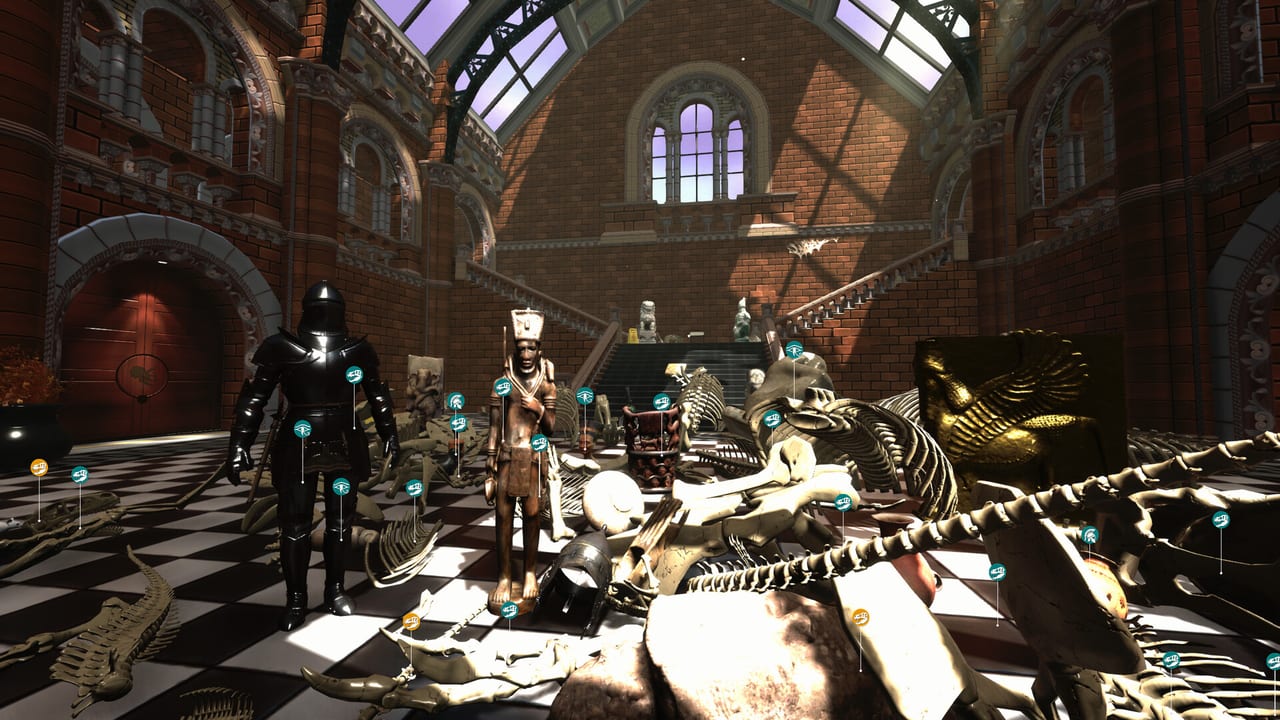
Cleaning is the heartbeat of Tidy Up History. Before labels look right and skeletons shine under spotlights, you have to strip dirt, haul clutter, and fix what neglect broke. Casual Human’s cozy sim rewards thoroughness: every cleared patch and repaired fixture pushes XP, unlocks breathing room for placement work, and feeds achievements such as Handyman and Master Cleaner. This guide explains how to think about cleaning and repairs so you finish halls efficiently without inventing chores the game does not ask for.
The three mess layers
Most rooms stack problems in layers. Work them in order when you can:
- Dirt and stains — floors, walls, cases, and display bases that look grimy until you clean them.
- Clutter and debris — loose trash, toppled props, and junk that blocks paths or hides useful items.
- Damage and broken fixtures — cracked elements, busted lighting cues, or repairables that need a Handyman touch before the room feels complete.
Skipping ahead to place artifacts on a filthy pedestal is legal but visually and mentally noisy. Clean the stage, then dress it. Pair this page with Artifacts and Labels once surfaces are ready.
How to clear a zone systematically
Random wandering creates missed corners. Use a grid mindset:
- Stand at the entrance of a hall and pick a wall to follow.
- Clean every dirty patch along that wall, including bases of cases.
- Scoop clutter into disposal or proper holding as you go.
- Repair anything interactive that still looks broken after dirt is gone.
- Move to the next wall or island of displays and repeat.
- Finish with a center-floor pass and a slow 360° spin for leftovers.
This edge-then-center pattern works in prehistoric halls and dense cultural galleries alike — Cerapoda or Ancient Egypt, same discipline.
Dirt: read the feedback
Dirt is satisfying because feedback is immediate. Practical tips:
- Face the stain. Camera angle matters; glancing clean attempts leave edges.
- Overlap strokes on large patches. Treat big floor spills like painting — slight overlaps beat zebra stripes of leftover grime.
- Revisit after moving clutter. A crate can hide a stain; remove the crate, then clean underneath.
- Do not assume verticals are clean. Wall smudges and case glass marks count toward that finished look and toward Master Cleaner style progress.
If an ability later boosts cleaning speed or radius, invest when dirt volume spikes — details in Abilities and XP.
Clutter: make space for curation
Clutter is both trash and camouflage. Keys, books, and small fossils hide under mess. While clearing:
- Pause whenever something looks interactable beyond junk.
- Keep pathways open between pedestals so placement prompts target displays, not debris — see Controls.
- Sort as you go: trash out, museum pieces into a mental or physical staging spot, fossils toward the right prehistoric wing.
Clutter cleared early makes Keys and Wings searches shorter because sightlines open up.
Repairs: the Handyman mindset
Not every problem is dirt. Damaged fixtures need repair actions. Approach them like a facilities manager:
- Clean around the broken object first so you can see its outline.
- Interact deliberately; wait for the repair to register before walking away.
- Check related lighting or case states after a fix — one repair can change how readable a whole alcove becomes.
- Chain repairs in the same room for Handyman progress instead of leaving one broken lamp behind a finished exhibit.
Repairs often gate the “feels done” moment even when artifacts are placed. A sparkling vase under a dead light still looks unfinished.
Room completion hygiene
Before you declare a hall ready for the grand opening fantasy:
- No obvious dirt patches remain on floors, walls, or major cases.
- Clutter piles are gone from visitor paths.
- Repairables in that room are fixed.
- Artifacts and fossils that belong here are placed (or consciously staged elsewhere).
- You have scanned for knowledge books and keys while cleaning — do not save a second full sweep if you can multitask carefully.
That checklist supports Complete [room] achievements and keeps Museum Rooms tracking honest.
When to stop cleaning and unlock a wing
If the current hall is 90% clean but you are bored, it is fine to explore — as long as locked doors are the only hard gate. Do not abandon a room at 40% with dirt everywhere; context switching costs more time than finishing. When a key appears mid-clean, pocket it, finish the zone you started, then open the new wing with a clear head. The Walkthrough suggests broader order; this page owns local craft.
XP and cleaning
Restoration work earns XP. Cleaning large neglected halls is one of the steadiest XP faucets early on. Convert that XP into abilities that reduce repetition before you enter the densest late wings. Master Cleaner is not only a trophy — it is proof you treated dirt as content, not chores.
Common cleaning mistakes
- Spray-and-pray without verifying — look back; leftover smudges add up.
- Placing exhibits before clearing bases — you will clean around placed pieces awkwardly later.
- Ignoring high and low extremes — skirting boards and upper case edges hide completion.
- Leaving one broken fixture — kills the finished vibe and can stall Handyman.
- Cleaning on sprint — you will miss interactables tied to Knowledge Books and keys.
Suggested workflow for a new hall
- Entrance scan (no interactions) — note dirt density and locked side doors.
- Edge clean + clutter pass.
- Repair pass.
- Center clean.
- Artifact and fossil placement with knowledge checks.
- Final spin for missed dirt and collectibles.
- Mark the room mentally complete; update your achievement tracking via Achievements.
Do this consistently and the museum transforms from stressful warehouse to curated space — which is exactly the cozy fantasy Casual Human built for a single player on Windows Steam.
Frequently Asked Questions
Quick answers to the most common questions.
Should I clean before placing artifacts?
Yes whenever practical — clean bases and clear clutter first so placement prompts and visuals stay clear. Then use Artifacts and Labels.
What does Handyman relate to?
Repairing damaged fixtures and facilities-style fixes. Chain repairs in a room and track broader unlocks on Achievements.
Can cleaning help me find keys?
Absolutely. Clearing clutter opens sightlines. Pair cleaning passes with the search habits in Keys and Wings.
Do cleaning actions give XP?
Restoration work feeds XP that unlocks abilities — spend them wisely using Abilities and XP.
How do I know a room is clean enough?
No visible dirt, no path-blocking clutter, repairs done, then a final 360° scan. Cross-check the hall list in Museum Rooms.