
Tidy Up History Keys, Locks & Museum Wings
Unlock new exhibit halls with careful searches and a calm wing-order strategy.
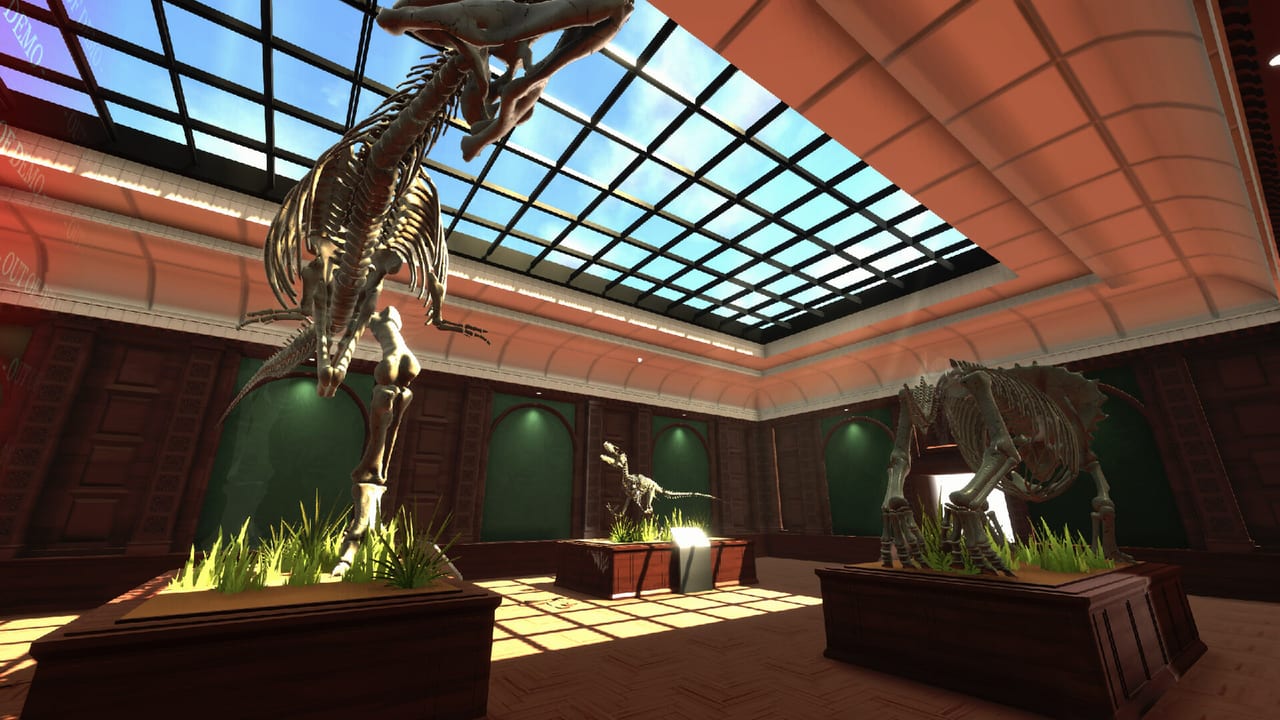
Locked doors are how Tidy Up History paces the museum. Casual Human does not dump every hall on you at once: you restore what you can reach, find keys, and open wings that reveal denser cleaning, new artifact eras, and fresh dinosaur mounts. This guide teaches search habits and progression strategy. It deliberately avoids fake coordinates or “key under third left tile” spoilers — those shift with exploration order and are easy to get wrong in a wiki.
Why keys exist
Keys turn a single lobby into a full institution. Behind them wait rooms spanning Cerapoda, Theropods, Ornithopods & Thyreophorans, Non-Dinosaurian collections, Stone Age, Mesopotamia, Ancient Egypt, Ancient Greece/Rome, Ancient China, Ancient India, Ancient Japan/Korea, Medieval Europe, the Islamic World, Subsaharan Kingdoms, Mesoamerica/Andean, and Indigenous North America. You unlock these over time, not in one scavenger blitz. The roster and themes live in Museum Rooms.
Keymaster-style achievement progress tracks how thoroughly you chase access. Museum Owner fantasy needs those doors open and finished.
Search habits that actually work
Treat every cleaning session as a soft key hunt:
- Slow first lap of a room at walking speed with camera sweeping high and low.
- Clear clutter that blocks sightlines — keys love hiding in messes you would rather ignore. Pair with Cleaning and Repairs.
- Check side furniture — desks, carts, cases, and shelves often hold more than knowledge books.
- Revisit after major clean milestones — removing a pile can reveal an interactable you could not see.
- Listen and watch for UI affordances — if something sparkles or prompts differently from junk, investigate before sprinting on.
- After Hotfix 1.0.1, lead with audio — some keys are now visually hidden; locate them by sound, then pick up.
Sprint-searching is the top reason players “cannot find the key” that was two meters off their rush path. Reminder: Controls.
Launch Hotfix 1.0.1 — interaction priority and hidden keys
Casual Human’s Launch Hotfix 1.0.1 adjusted interaction priority so players can collect keys that were previously blocked by items requiring specific abilities. Before that fix, a skill-gated prop could steal the interact prompt and leave a key stranded in plain frustration.
The same notes state those keys are now visually hidden and should be found via audio cues before pickup. Practical response:
- Wear headphones or raise game volume during Keymaster sweeps.
- Walk suspicious corners instead of sprinting past “empty” floors.
- Still clear ability-gated clutter when you can, but do not assume a stubborn prompt means the key is gone—priority should favor the key after 1.0.1.
- Re-sweep halls you marked “done” before the hotfix; audio-only keys may still be waiting.
Deck and couch players: see Steam Deck for headphone-first session tips.
What to do when you find a key
- Pocket it immediately (do not leave it on a bench “for later”).
- Finish the micro-task you were mid-way through if it is thirty seconds from done — dropping a half-clean case creates mess debt.
- Walk to the locked door you already know about, or scout the nearest unopened wing entrance.
- Open the door, step in, and do an orientation lap before starting heavy labor.
- Decide whether to fully commit to the new wing or return to finish a 90% complete old hall.
Opening everything at once creates parallel unfinished disasters. Prefer depth.
Wing-order strategy (practical, not spoilerous)
A healthy rule set:
- Finish or nearly finish the current open hall’s cleaning before spending an hour in a brand-new wing.
- Open a wing when you are blocked on space, bored of the current palette, or you need a new artifact era / fossil set to place known backlog items.
- Do not open a wing when your inventory of unidentified objects is already overwhelming — study first via Knowledge Books.
- Alternate prehistoric and human halls when both are available so dinosaur mounts and cultural exhibits advance together — see Dinosaur Skeletons and Artifacts and Labels.
The Walkthrough expands this into a campaign-shaped route. Use that page when you want sequencing; use this page when you are staring at a lock.
Soft locks vs hard locks
Not every stuck feeling is a missing key:
- Soft lock — you have the room open but lack knowledge to place objects. Solution: study, not keyhunt.
- Hard lock — a door literally will not open. Solution: thorough sweep of currently accessible spaces, including rooms you thought were “done.”
- Power soft lock — content is reachable but miserable without an ability. Solution: grind XP chores in open halls — Abilities and XP.
Diagnose which stuck you have before burning an hour rechecking the same empty drawer.
Keys and achievements
Relevant unlocks include Keymaster (access focus), room Complete trophies (need the room open and finished), and eventual Museum Owner style completion. Cleaning achievements still matter because keys often appear during restoration, not during pure exploration. Track everything on Achievements.
Multi-wing housekeeping
Once three or more wings are open:
- Keep a mental (or note) list of which halls are Clean / Labeled / Skeleton-done / Key-searched.
- Store misplaced artifacts near their correct wing entrance.
- Do a weekly-style “key residual sweep” of old rooms after big ability unlocks — new highlighting tools can reveal what you missed.
Single-player saves mean nobody else will find the key for you. Be the reliable night guard.
Common mistakes
- Tunnel-vision key hunting while leaving dirt and repairs untouched (you miss the key under the mess).
- Opening four doors then complaining about chaos.
- Assuming a key is in the next wing when it is still in the tutorial-adjacent hall you never rechecked.
- Ignoring Non-Dinosaurian or smaller cultural rooms that still gate progress.
- Inventing spoilers from memory — trust process over rumor.
Mini routine before you quit a session
- Sweep the room you are in for interactables one last time.
- If you hold a key, use it.
- Park at a landmark in an unlocked hall, not inside a confusing half-sorted pile.
- Note which wing you intend to prioritize next time.
That routine keeps Keymaster progress honest and makes the next boot less disorienting.
Keys are not gotchas; they are chapter breaks. Clean, look carefully, open deliberately, and the museum grows at a cozy pace worthy of the grand opening.
Frequently Asked Questions
Quick answers to the most common questions.
Where exactly is each key?
This wiki avoids unverified coordinates. Use slow cleaning sweeps, and after 1.0.1 listen for audio cues—see Launch Hotfixes and the Walkthrough.
Why can’t I see some keys after Hotfix 1.0.1?
Certain keys are visually hidden and found via audio cues; interaction priority was also fixed so ability-gated props stop blocking pickup. Read Launch Hotfixes.
Should I open a wing as soon as I find a key?
Open when you need space or a new theme, but finish near-complete halls first so you do not juggle too many messy rooms.
What achievement tracks keys?
Keymaster-style progress — full list and tips on Achievements.
I opened a door but still feel stuck placing items.
That is usually a knowledge gap, not a key gap. Visit Knowledge Books and Artifacts and Labels.